
MCP Servers in Practice, with Playwright
Why This Matters
Out of the box an agent can read files and run shell commands. The Model Context Protocol (MCP) lets you plug in more tools: your issue tracker, a database, documentation, or a real browser. For testers, Playwright MCP is the big one: the agent can open your application, click through it and check what it sees.
What an MCP server is
An MCP server is a small program that exposes tools (and sometimes data) to the agent in a standard way. The agent sees the tool names and descriptions and calls them like its built-in tools. The same server works in Claude Code, OpenCode and other MCP-capable clients.
Common servers in a delivery team:
- GitHub: read issues and pull requests, comment, open PRs
- Filesystem: controlled access to folders outside the project
- Playwright: drive a real browser
- Your own: internal APIs, test data services, documentation search
Connect Playwright MCP
# add for this project (stored in .mcp.json, shared via git)
claude mcp add --scope project playwright -- npx @playwright/mcp@latest

# check that it is connected
claude mcp list
Inside a session, /mcp shows the connected servers and their status. The project scope writes the configuration to .mcp.json, so every team member gets the same servers:
{
  "mcpServers": {
    "playwright": {
      "command": "npx",
      "args": ["@playwright/mcp@latest"]
    }
  }
}
The agent clicks and tests in the browser
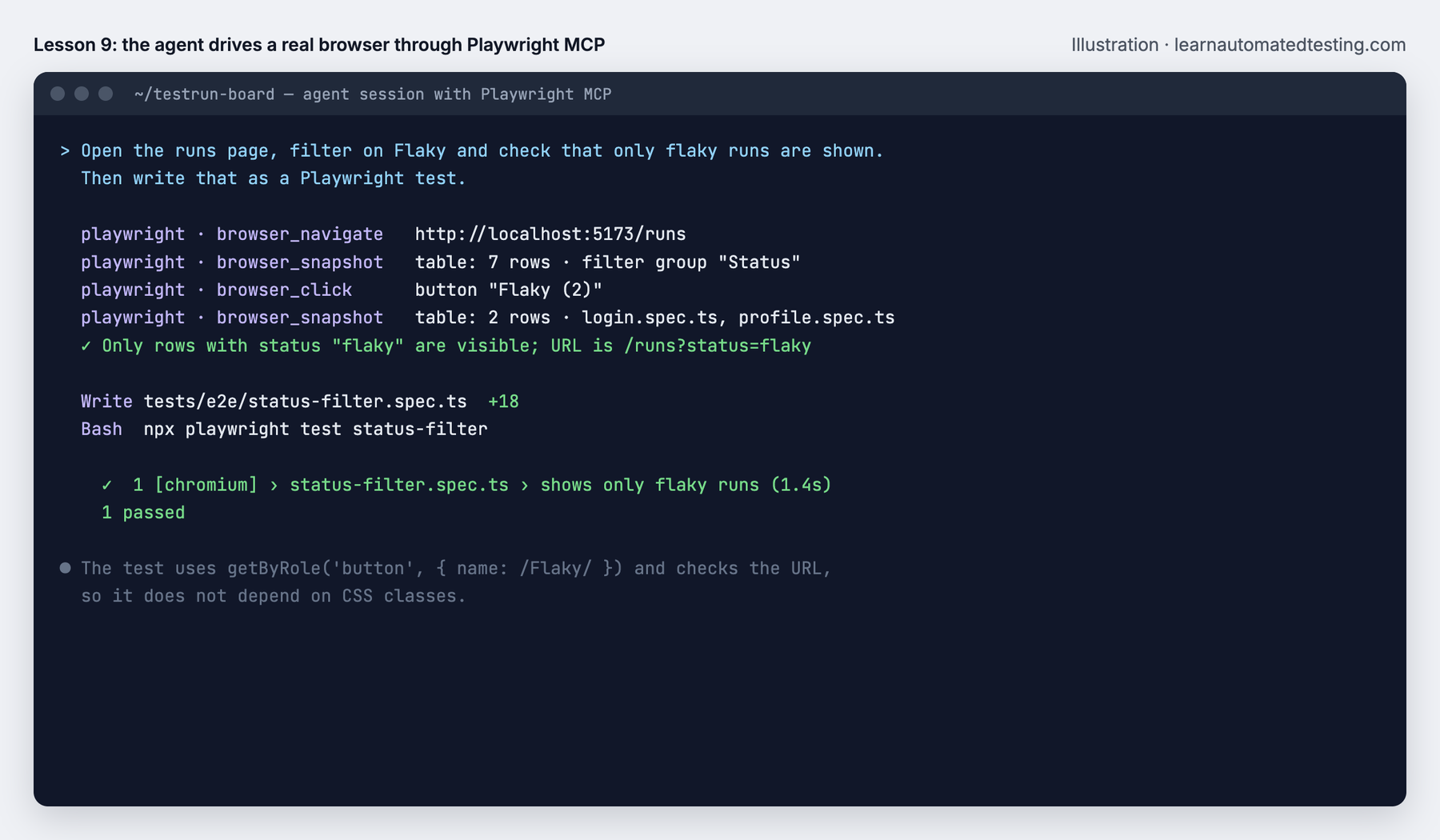
Playwright MCP works mainly with accessibility snapshots: a structured view of the page with roles and names, rather than screenshots. That makes the agent’s actions precise and gives you locators that are robust in a test (getByRole('button', { name: /Flaky/ })).
A useful pattern is explore, then codify:
- Let the agent explore the feature in the browser and report what it observes.
- Ask it to turn the verified flow into a Playwright test file.
- Run the test in CI like any other test. The MCP server is for exploring and authoring; your suite should not depend on it.
Use MCP responsibly
- Only add servers you trust; a server’s tools run with your permissions.
- Prefer read-only tokens for services like GitHub until you need write access.
- Point browser sessions at local or test environments, never at production with real accounts.
- Too many servers means many tool descriptions in context. Enable what the project needs.
Hands-on
- Add Playwright MCP to your project with project scope and commit
.mcp.json. - Start your app locally and ask the agent to verify one feature in the browser and report what it saw.
- Ask it to write that flow as a Playwright test using role-based locators.
- Run the test without the agent:
npx playwright test.
Walkthrough in TestRun Board
.mcp.jsonin the repository already configures Playwright MCP. Start a session; Claude Code asks once to approve the project server. Check with/mcpthatplaywrightis connected.- Start the app in another terminal:
npm run dev. - Prompt: “Open http://localhost:5173, check that the table shows 7 test runs and that login.spec.ts is flaky. Report what you see; do not change files.” Look at the tool calls:
browser_navigate,browser_snapshotand the rows it found. - Then: “Write that check as a Playwright test in tests/e2e/ with role-based locators, and run it.” Compare the result with the existing
tests/e2e/runs-page.spec.ts: both should usegetByRole('table', { name: 'Test runs' }), which works because the table has an accessible name. - Run the suite without the agent:
npm run e2e. The MCP server helped to author the test; the test itself runs in CI without it.
Key Takeaways
- MCP adds tools to any MCP-capable agent in a standard way.
- Playwright MCP lets the agent use a real browser through accessibility snapshots.
- Explore with MCP, then codify into normal tests that run in CI.
- Treat MCP servers like dependencies: trusted, scoped and minimal.