
Create and Edit Your Own Skills
Why This Matters
A good skill turns your team’s best way of doing a task into something every agent session follows. In this lesson you write one from scratch, change it and watch the behaviour change with it.
Anatomy of a skill
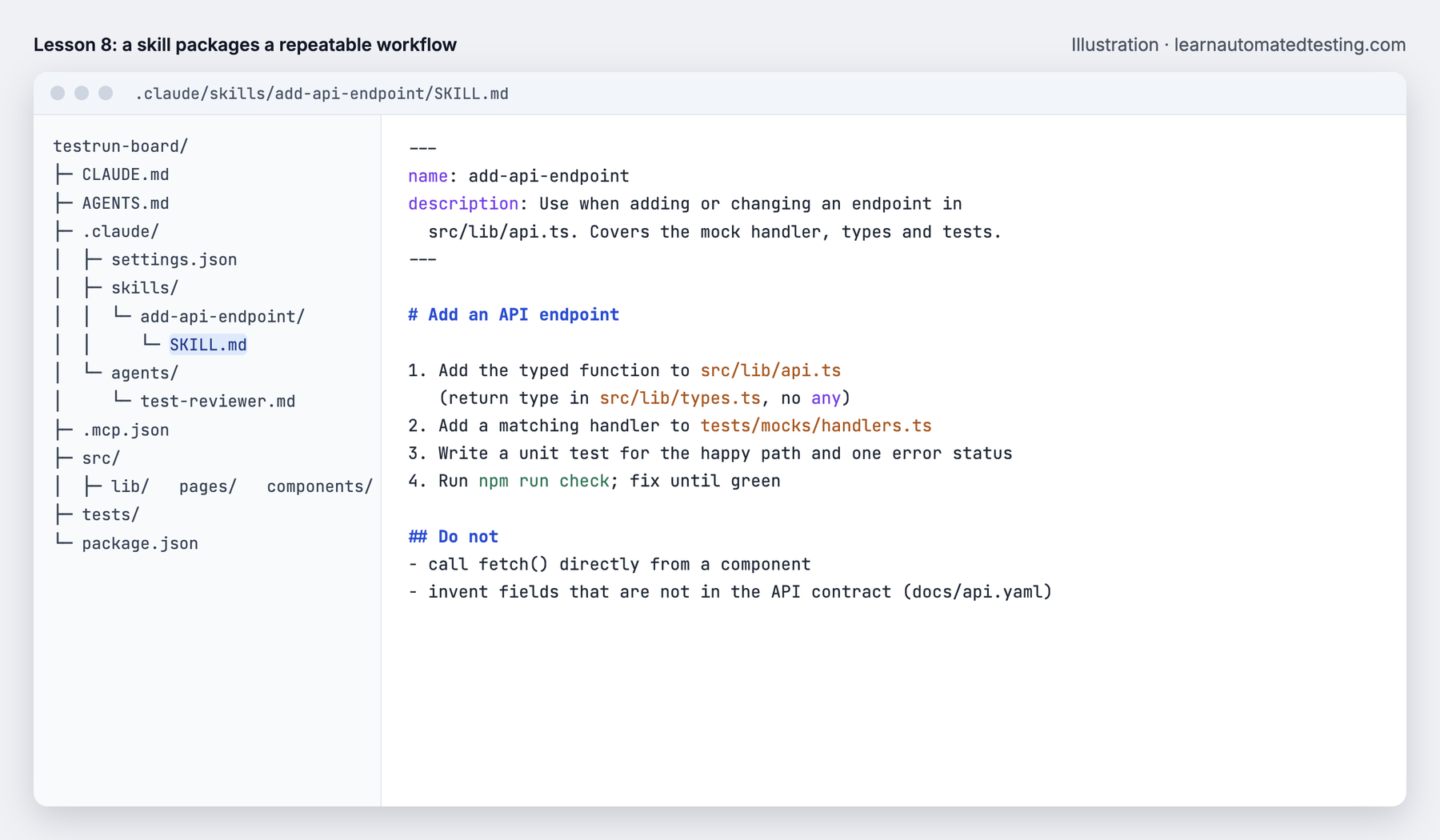
.claude/skills/add-api-endpoint/
├── SKILL.md            # required: frontmatter + instructions
├── reference.md        # optional: loaded only when needed
└── scripts/
    └── check-contract.sh   # optional: deterministic helper
The description is the most important line. The agent decides to use the skill based on it, so say when it applies, not just what it is:
- Weak:
description: API helper - Strong:
description: Use when adding or changing an endpoint in src/lib/api.ts. Covers the mock handler, types and tests.
The body is a procedure: numbered steps, a clear finish line (npm run check green) and a short “Do not” list for the mistakes you have seen.
Write your first skill
Create .claude/skills/add-api-endpoint/SKILL.md:
---
name: add-api-endpoint
description: Use when adding or changing an endpoint in src/lib/api.ts.
  Covers the mock handler, types and tests.
---

# Add an API endpoint

1. Add the typed function to src/lib/api.ts (return type in src/lib/types.ts, no any)
2. Add a matching handler to tests/mocks/handlers.ts
3. Write a unit test for the happy path and one error status
4. Run npm run check; fix until green

## Do not
- call fetch() directly from a component
- invent fields that are not in the API contract (docs/api.yaml)
Then start a new session and ask: “Add an endpoint that returns the history of one test.” Check whether the agent mentions or follows the skill. If it does not pick it up, improve the description; that is almost always the cause.
The version in the example repository (.claude/skills/add-api-endpoint/SKILL.md) goes one step further: it starts from the API contract in docs/api.yaml and regenerates the types with npm run generate:api, because src/generated/ is protected by a hook.
Edit and observe
Skills are plain files, so changing behaviour is a one-line edit. Add a step:
5. Add the endpoint to docs/api.yaml if it is new
Run the same request again and compare the diffs. Commit skill changes like code: in a pull request, with a short explanation of the mistake they prevent.
Speed up with the skill creator
Anthropic publishes a skill-creator skill in its public skills repository. With it installed you can ask the agent to interview you about a workflow and draft the skill, including a description and test prompts. Treat the draft like any agent output: shorten it, make the steps concrete and test it on a real task.
Hands-on
- Write one skill for a procedure from your own project.
- Test it with two different phrasings of the same request.
- Add one “Do not” line based on a mistake the agent made.
- Commit it and ask a colleague to try it in their session.
Walkthrough in TestRun Board
- Open
.claude/skills/add-api-endpoint/SKILL.md. Its six steps start at the contract (docs/api.yaml) and end atnpm run check; the “Do not” list names the mistakes the hooks would block anyway. - See it in a real change: the pass-rate solution added
GET /api/historyexactly this way:git diff main..solution/lesson-16-pass-rate-column --stat -- docs src/generated src/lib/api.ts tests/mocks - Exercise: ask the agent “Add an endpoint that returns one test run by id.” Watch whether it loads the skill (it says so, or follows the order). If it skips the contract, the description is not doing its job.
- Edit the skill: add a step “7. Add the endpoint to the table in README.md”, start a new session and repeat the request. The new step should appear in the work.
- Write a small skill of your own, for example
add-fixturefor adding a test run totests/mocks/data.tswith matching history, and test it with two different phrasings.
Key Takeaways
- A skill is a folder with SKILL.md; scripts and references are optional.
- The description decides when the skill is used: describe the trigger.
- Write steps with a clear finish line and a short “Do not” list.
- Version skills in git and improve them after every mistake.